Next.js guide
Build a secure comic generator with Next.js.
Place the LlamaGen request in a Next.js Route Handler, validate the browser payload, and return only the generation data your interface needs.
The server boundary protects the bearer token; client components should call your own route rather than LlamaGen directly.
Get a key and build the routeAccount, API key, usage, and billing open on LlamaGen.AI.
Direct answer
The decision this page is for.
Last verified:
Keep the LlamaGen key in a Next.js Route Handler. The browser posts to your route; your server validates input and forwards a bounded create request. Client components never see the bearer token.
Verifiable request
Next.js Route Handler
// app/api/comics/route.ts
export async function POST(request: Request) {
  const input = await request.json();
  const upstream = await fetch("https://api.llamagen.ai/v1/comics/generations", {
    method: "POST",
    headers: {
      Authorization: `Bearer ${process.env.LLAMAGEN_API_KEY}`,
      "Content-Type": "application/json",
    },
    body: JSON.stringify({ prompt: input.prompt, fixPanelNum: 4 }),
  });

  return Response.json(await upstream.json(), { status: upstream.status });
}
Structured response
State your application can route
{
  "id": "gen_abc123",
  "status": "PROCESSED",
  "comics": [
    {
      "page": 0,
      "panels": [
        {
          "panel": 0,
          "caption": "The visitor's story becomes four panels.",
          "assetUrl": "https://cdn.llamagen.ai/comics/panel-1.webp"
        }
      ]
    }
  ]
}
Next.js walkthrough
Put a server boundary between the browser and the API key.
The architecture separates customer input, the protected route handler, generation state, and the rendered result screen.
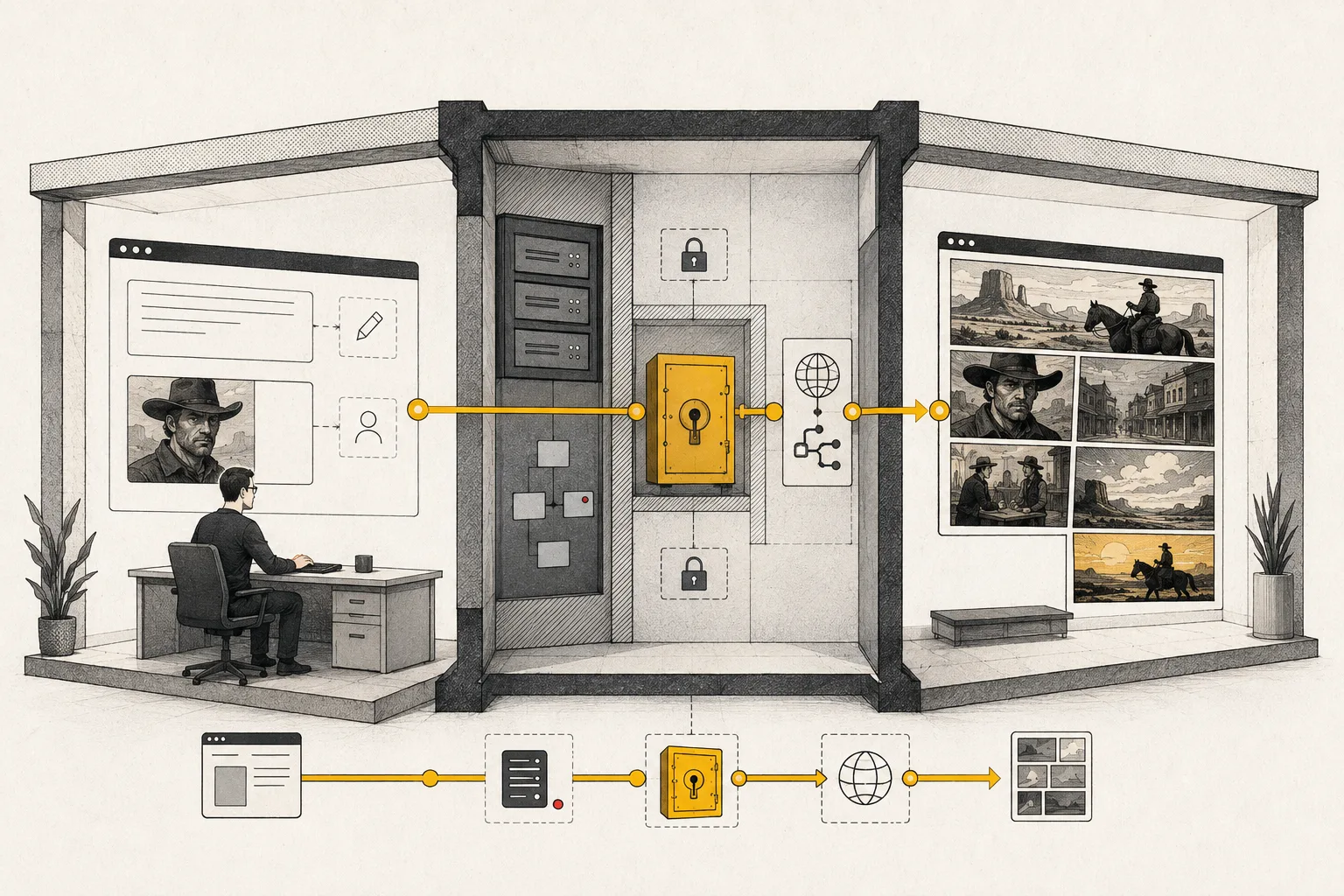
Capability and boundary facts
Facts an integration can verify.
Last verified:
- Endpoint
- POST /v1/comics/generations
- Authentication
- Bearer API key
- Lifecycle
- QUEUED → PROCESSING → PROCESSED or FAILED
- Delivery
- Poll by generation ID or use a callback URL
- Security boundary
- Next.js Route Handler keeps the key server-side
Good fit
Use it when
- SaaS comic tools
- Customer upload workflows
- Server-rendered product experiences
Wrong fit
Do not use it for
- Blindly proxying arbitrary payloads
- Putting the key in NEXT_PUBLIC variables
- Waiting synchronously for final assets
Production limits
Plan for the boundaries.
- 01Validate length, URLs, panel counts, and authenticated user permissions before proxying input.
- 02Add rate limiting, abuse controls, observability, and durable job state before launch.
- 03Generation is asynchronous; production interfaces must handle processing and failure states.
- 04Outputs should be reviewed against product, brand, safety, and print requirements before delivery.
- 05You must have the rights to prompts, photos, scripts, and reference assets submitted to the API.
Authoritative sources
Questions
Direct answers before you integrate.
01Why not fetch LlamaGen from a Client Component?
02What must the Route Handler validate?
03Should the handler wait until PROCESSED?
Next step
Move from evidence to a real API request.
LlamaGen provides the playground, API key, usage, billing, and authoritative service documentation.
Get a key and build the route