Print fulfillment workflow
Route approved comic assets into print-on-demand fulfillment.
A print-on-demand comic workflow separates creative generation from print preparation, proof approval, fulfillment submission, shipping, and replacement handling.
Comic API output is a creative source asset, not an automatic promise of print readiness. Your export pipeline must validate dimensions, bleed, color, text safety, pagination, and the printer's current specification.
Build the creative pipelineAccount, API key, usage, and billing open on LlamaGen.AI.
Direct answer
The decision this page is for.
Last verified:
Print-on-demand treats generation, print export, and fulfillment as three jobs. Comic API output is a creative source file, not a press-ready PDF. Validate trim, bleed, text safety, and the printer profile before you submit.
Verifiable request
Generate source assets for a print product
{
  "prompt": "Create an eight-panel family adventure for a two-page landscape comic insert. Keep captions inside generous text-safe areas.",
  "images": [
    "https://shop.example.com/signed/family-reference.webp"
  ],
  "pagination": {
    "totalPages": 2,
    "panelsPerPage": 4
  },
  "size": "1536x1024",
  "language": "English",
  "callbackUrl": "https://shop.example.com/webhooks/comics"
}
Structured response
State your application can route
{
  "id": "gen_abc123",
  "status": "PROCESSED",
  "comics": [
    {
      "page": 0,
      "panels": [
        {
          "panel": 0,
          "caption": "The family opens the time capsule together.",
          "assetUrl": "https://cdn.llamagen.ai/comics/panel-1.webp"
        }
      ]
    }
  ]
}
Fulfillment scenario
Approve the production file before sending it to print.
The print station makes pagination, resolution, bleed, color review, fulfillment handoff, and failure boundaries tangible.
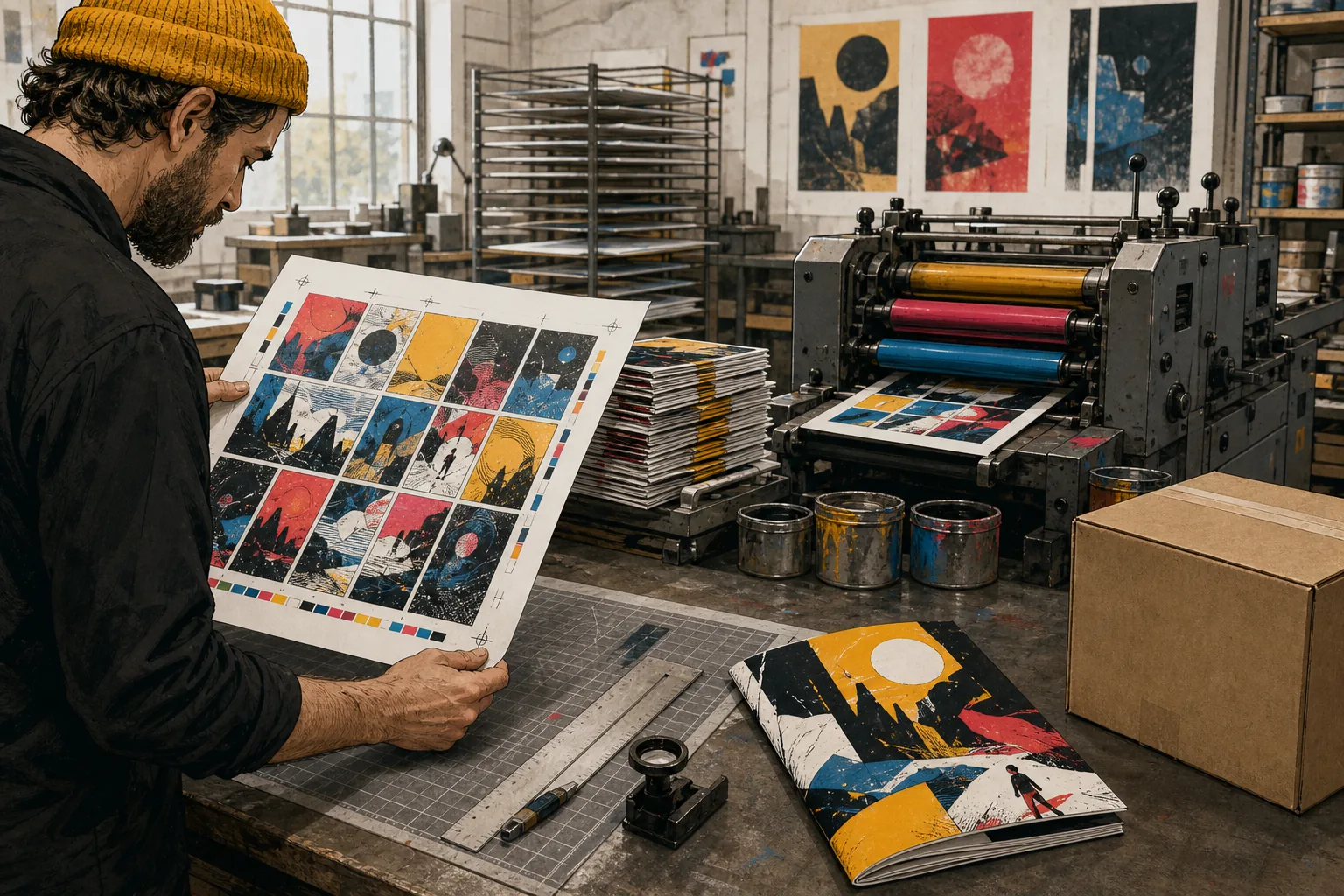
Fulfillment boundary
Generation, print export, and fulfillment are three different jobs.
Keeping those states separate prevents a successful generation from being mistaken for a print-ready, approved, or shipped customer order.
- 01Comics API
Generate source pages
Create the purchased page and panel structure from the approved customer brief and references.
- 02Merchant or customer
Review creative output
Approve characters, captions, composition, safety, and the complete story before print preparation.
- 03Export service
Render the print file
Apply the current printer profile for trim, bleed, safe zones, cover, pagination, and file format.
- 04Preflight check
Validate the proof
Check resolution, page count, text safety, orientation, and the exact product variant.
- 05Commerce backend
Submit fulfillment
Create the fulfillment job only from an approved export and retain printer and shipping identifiers.
- 06Merchant support
Handle exceptions
Distinguish creative revisions, export failures, print defects, shipping loss, and customer-requested changes.
Capability and boundary facts
Facts an integration can verify.
Last verified:
- Creative output
- Structured comic pages, panels, captions, and image assets
- Print preparation
- Separate renderer for trim, bleed, safe area, cover, and pagination
- Approval gate
- Merchant or customer proof before fulfillment
- Fulfillment link
- Order and approved export associated with a fulfillment job
- Recovery
- Replacement path for generation, export, or print defects
Good fit
Use it when
- Personalized comic books and inserts
- Posters and framed comic gifts
- Stores with an explicit proof-approval step
Wrong fit
Do not use it for
- Treating an API image as a press-ready PDF
- Submitting customer work to print before approval
- Hiding production and shipping timelines
Production limits
Plan for the boundaries.
- 01Never send newly generated assets directly to a printer without visual and specification review.
- 02Printer dimensions, bleed, color, paper, binding, and file requirements can change and must be validated at export time.
- 03Keep generation retries, print replacements, shipping issues, and customer corrections as separate operational causes.
- 04Generation is asynchronous; production interfaces must handle processing and failure states.
- 05Outputs should be reviewed against product, brand, safety, and print requirements before delivery.
- 06You must have the rights to prompts, photos, scripts, and reference assets submitted to the API.
Questions
Direct answers before you integrate.
01Can I send API images straight to the printer?
02What if a print comes back defective?
03Who approves the proof?
Next step
Move from evidence to a real API request.
LlamaGen provides the playground, API key, usage, billing, and authoritative service documentation.
Build the creative pipeline