Python guide
Generate comics with Python and explicit status handling.
A Python integration submits JSON to the generation endpoint and checks the returned generation ID and lifecycle state.
The example is a minimal server-side starting point, not a complete retry, queue, persistence, or webhook implementation.
Get a key and copy the codeAccount, API key, usage, and billing open on LlamaGen.AI.
Direct answer
The decision this page is for.
Last verified:
A Python integration posts JSON with the requests library, raises on HTTP errors, and reads the generation ID and status. Production workers should add retries, timeouts, and persisted job records.
Verifiable request
Python request with error handling
import os
import requests

response = requests.post(
    "https://api.llamagen.ai/v1/comics/generations",
    headers={"Authorization": f"Bearer {os.environ['LLAMAGEN_API_KEY']}"},
    json={
        "prompt": "A watercolor manga about a botanist on Mars.",
        "fixPanelNum": 4,
        "size": "1024x1536",
    },
    timeout=30,
)
response.raise_for_status()
generation = response.json()
print(generation["id"], generation["status"])
Structured response
State your application can route
{
  "id": "gen_abc123",
  "status": "PROCESSED",
  "comics": [
    {
      "page": 0,
      "panels": [
        {
          "panel": 0,
          "caption": "The first Martian flower opens.",
          "assetUrl": "https://cdn.llamagen.ai/comics/panel-1.webp"
        }
      ]
    }
  ]
}
Python walkthrough
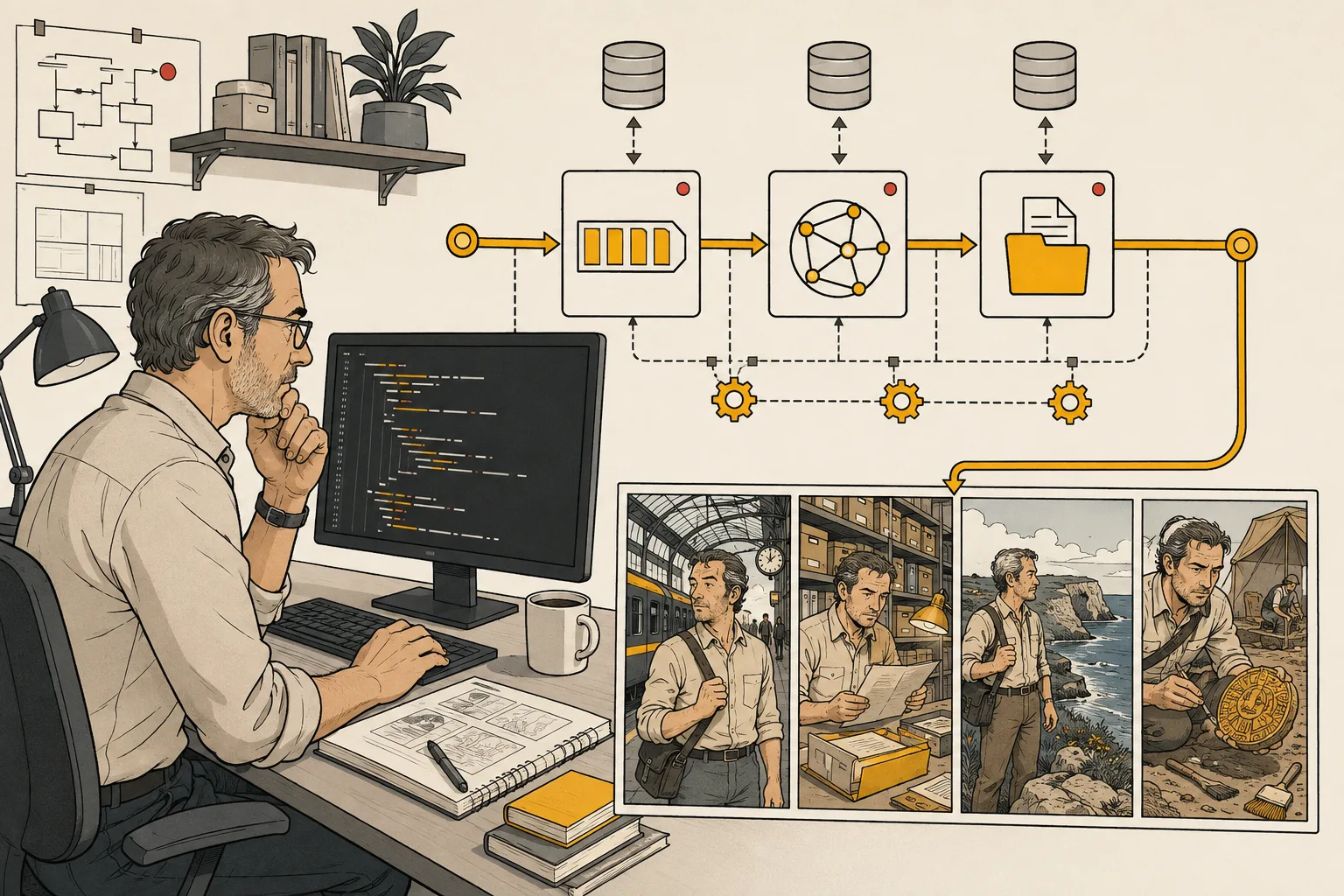
Build the smallest observable Python workflow.
The visual follows one authenticated request from server-side configuration through polling and durable asset storage.
Capability and boundary facts
Facts an integration can verify.
Last verified:
- Endpoint
- POST /v1/comics/generations
- Authentication
- Bearer API key
- Lifecycle
- QUEUED → PROCESSING → PROCESSED or FAILED
- Delivery
- Poll by generation ID or use a callback URL
- Runtime
- Python server, worker, notebook, or pipeline
Good fit
Use it when
- Content pipelines
- Backend services
- Data and automation workflows
Wrong fit
Do not use it for
- Embedding long-lived keys in notebooks you share
- Blocking a web request until image generation finishes
- Ignoring HTTP errors
Production limits
Plan for the boundaries.
- 01A production worker should use retries with backoff and persist the generation ID.
- 02Set connection and read timeouts appropriate to your infrastructure.
- 03Generation is asynchronous; production interfaces must handle processing and failure states.
- 04Outputs should be reviewed against product, brand, safety, and print requirements before delivery.
- 05You must have the rights to prompts, photos, scripts, and reference assets submitted to the API.
Authoritative sources
Questions
Direct answers before you integrate.
01Is the Python snippet production-ready?
02Can I put the key in a shared notebook?
03When should Python use webhooks instead of polling?
Next step
Move from evidence to a real API request.
LlamaGen provides the playground, API key, usage, billing, and authoritative service documentation.
Get a key and copy the code